|
NEO Planner V5.0 -
ACP Parameters -
Explanations
[upwards] [Geo settings] [File Structure] [Object selection] [Object selection 2] [No Go Areas] [Common restrictions] [CCD Parameters] [N.I.N.A. Parameters] [ACP Parameters] [Orchestrate Parameters] [More objects] [Parking stars] [Loading] [Execute planning] [Execute search] [Revise] [Object information] [NEO Ranking] [Rejected objects] [Ephemeris details] [NEOCP Check] [Show changes] [Show Log file] [Screenshot] [Statistics] [Statistics 2023] [All observations] [NEODyS-2 Statistics] [NEO Graphical Platform] [Impressum]
NEO Planner
Page
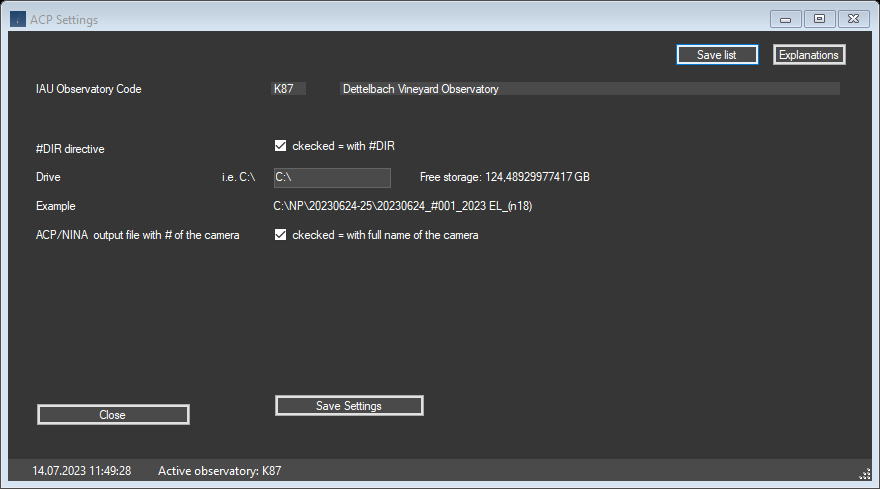
A text file for the ACP import is also saved in the Revise Window by pressing
the Save List button.
Here you can specify whether a #DIR directive should be inserted in the position
observation block.
In addition, you can specify the drive for the file output
In addition, you can specify whether the full name of the
camera should be included in the designation of the ACP and NINA output files
or with cam# and the number of the camera.
Top
|