NEO Planner V5.0 - More objects - Explanations
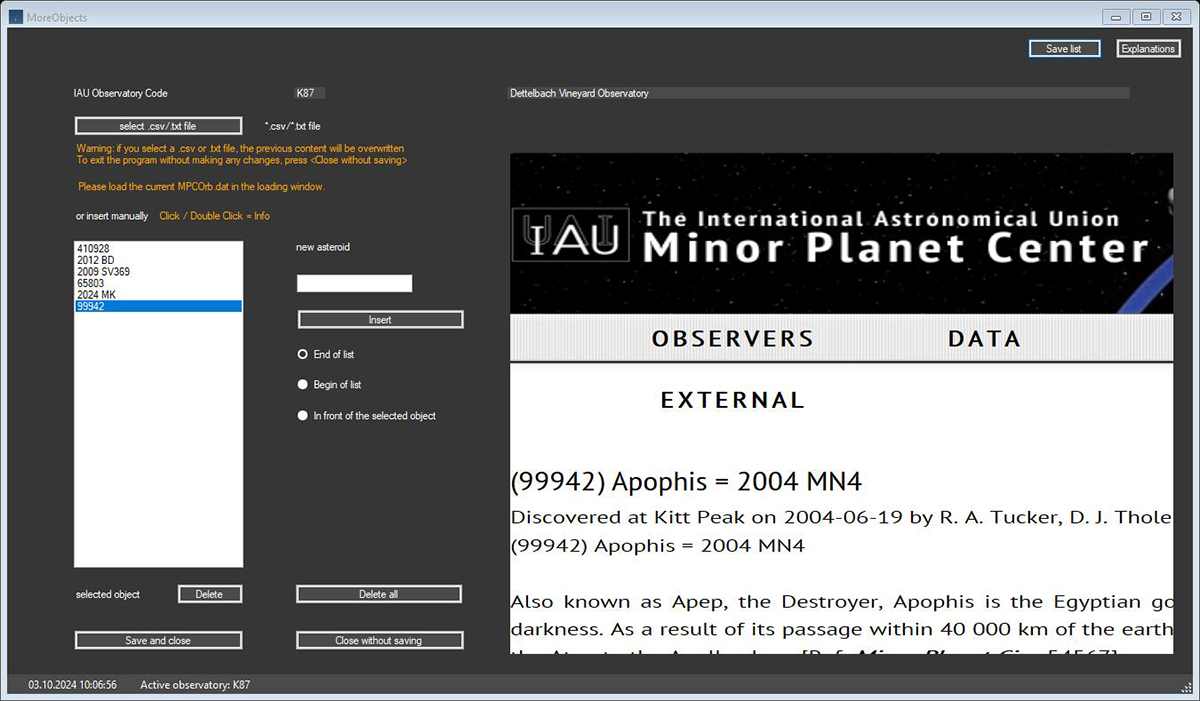
Depending on the interest, the observer can create his own object list with
any asteroids, which can be included in the planning selection area.
Application examples are the self-discovered numbered asteroids, which mostly
come from the main belt,
outer belts or discovered objects that are not yet numbered.
With the help of this function, a previously popular follow-up list of your own
objects is no longer necessary.
These objects are included in the planning
process and taken into account in the final list,
if the selection was successful according to the settings parameters.
In order to be able to carry out the planning in a stable manner, all objects
entered are checked for validity.
Please load the current MPCOrb.dat in the
Loading window, which
checks the existence of the objects
and do not enter more
than about 100 objects here.
If the objects are loaded via a .txt or .csv file, always fill these files with the numbers of the object. Examples: 99942 or 2009 ST243
The operation of the inputs should be self-explanatory.
Attention: Provisionally numbered object names must be replaced in the table with their final number, if one exists!