NEO Planner V5.0 - NEO Ranking - Explanations
Within the picture, click on the area that you want to be explained: (not in all browsers available)
Copyright: The data comes from official access to web services from MPC, JPL, NASA and ESA, whose origins are the tireless measurements of dozens of professional and amateur observatories around the world
A guide for getting an IAU observatory code you find here: Guide to Minor Body Astrometry (minorplanetcenter.net)
List of observatory codes: List of observatory codes - Wikipedia
With kind permission of Bill Allen of
Earth's BUSY
Neighborhood EBN, objects currently, recent, or approaching Earth are
labeled according to the tables listed on EBN.
Those objects that are listed by EBN in the categories current < 10LD,
approaching < 10LD, gone < 10LD and < 1LD this passage are marked with an X or S
in the columns on the right.
Objects marked S are currently included in
JPL's Sentry page,
so are among the objects with a high risk of impacting Earth.
A click on the red marked link at the top right leads directly to the EBN page.
Explanation of the columns in the list:
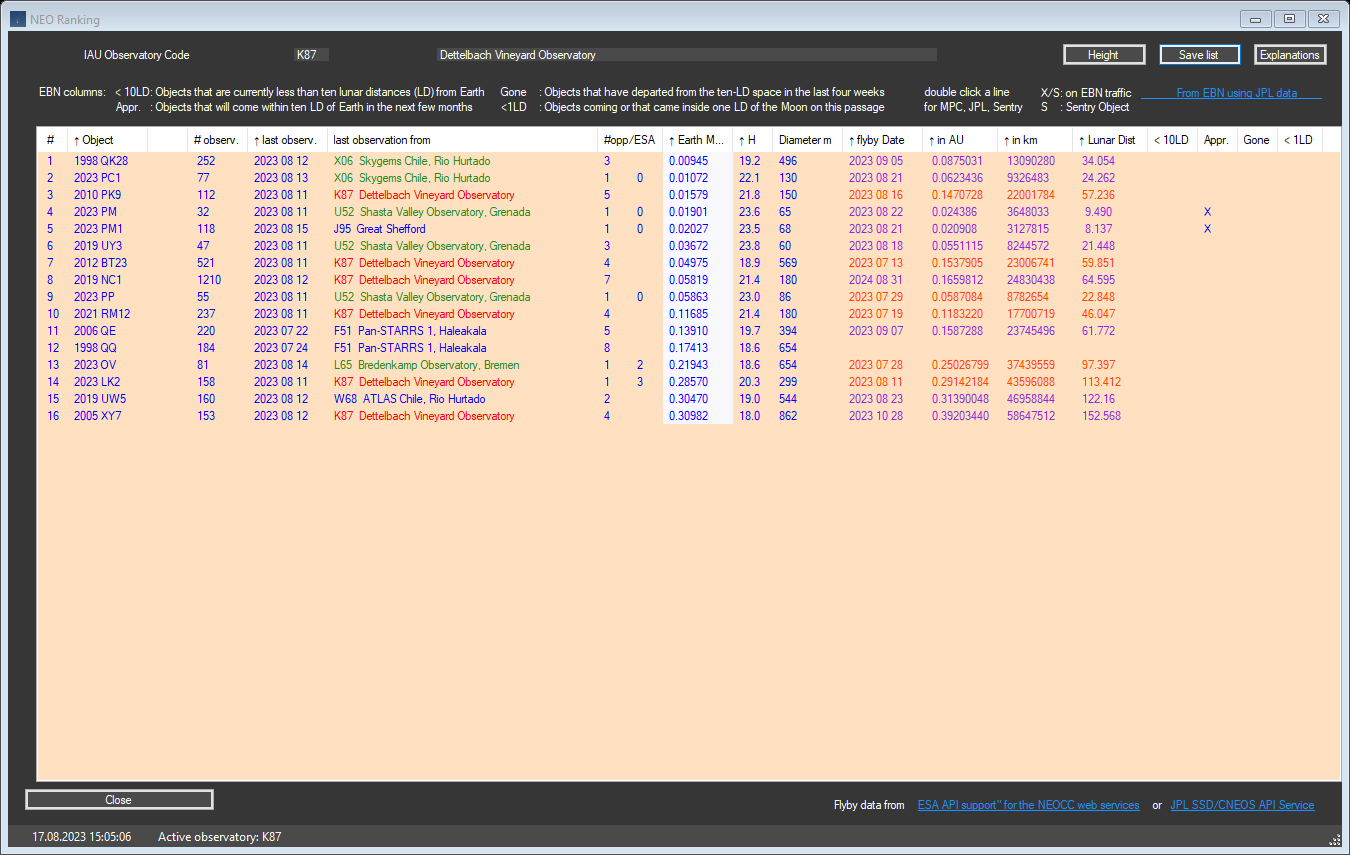
The columns in the list are explained in the Object Information Window.
In order to facilitate the selection of the NEO to be observed, this window can
be used to sort the list according to the columns "last observation", "Earth
MOID", "H", flyby date "or flyby distance fields.
The absolute brightness H of the object is analogous to its diameter, so that
only the sorting of H is necessary here.
The ESA priority list 0 - 3 has been integrated,
displayed in Object Information and NEO Ranking in column # opp/ESA.
This example shows a sorting according to Earth MOID ascending.
With a double click on an object, the corresponding pages of the MPC, JPL are displayed. With S, the Sentry CNEOS page of the JPL is also displayed.
The entire window is saved as .jpg in the archive folder.
Copyright: The data comes from official access to web services from MPC, whose origins are the tireless measurements of dozens of professional and amateur observatories around the world