NEO Planner V5.0 - Rejected objects - Explanations
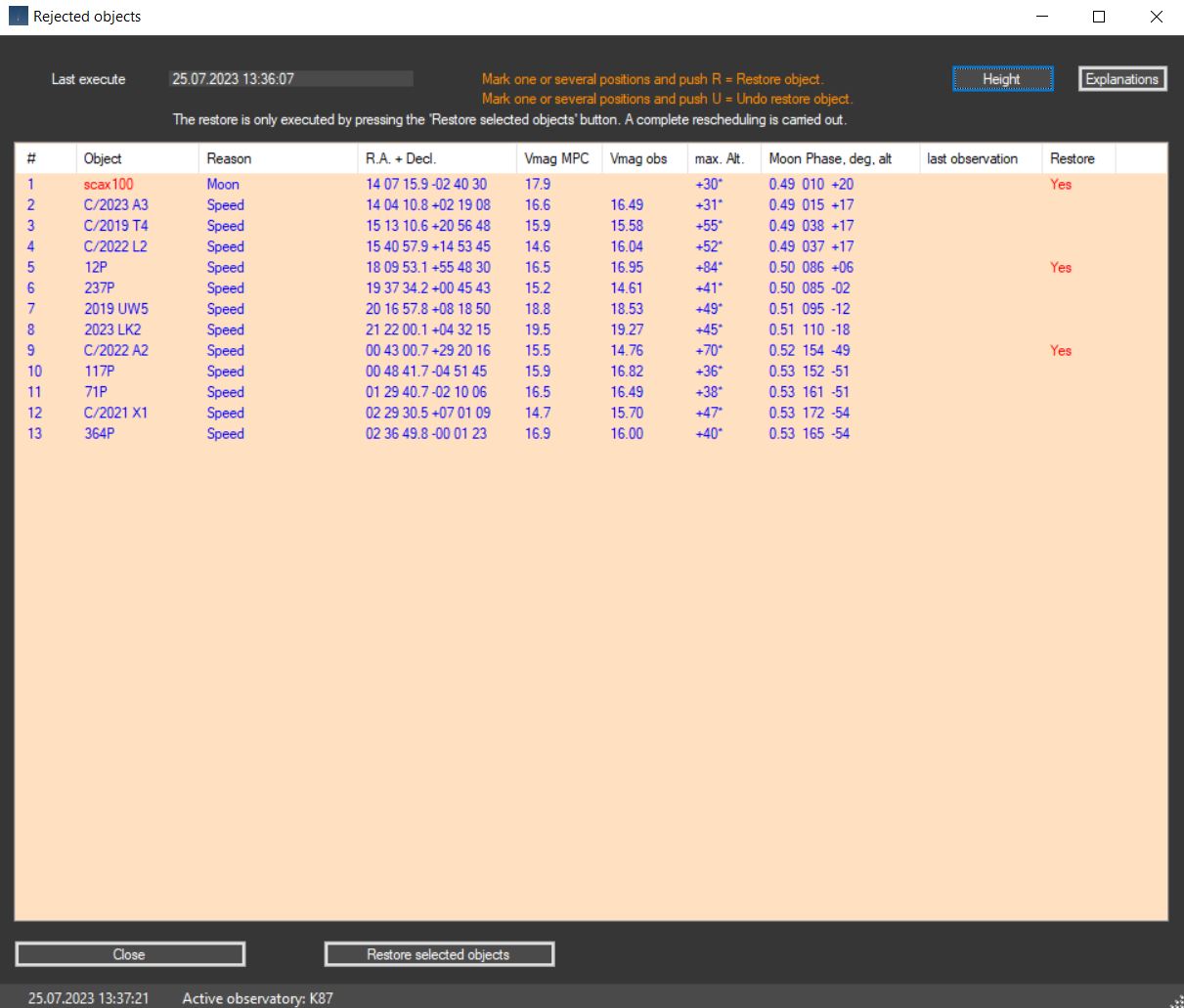
After the planning in 'Execute planning' has been completed, you can
switch there immediatly to the 'Rejected objects' window
(push the related button)
in order to get a list
of those objects that were excluded from the planning due to the settings.
After objects have been marked, push R (or U for unselect).
These objects are then integrated in a new planning run.
The new planning can only be started here by pressing the 'Restore selected
objects' button.
After the planning has been completed, you can revise the new planning in the Revise window.
Each further new planning in the Execute Planning Window takes place again
taking into account the settings as set
with the result of a new reject objects list.
Copyright: The data comes from official access to web services from MPC, whose origins are the tireless measurements of dozens of professional and amateur observatories around the world