NEO Planner V5.0 - NEOCP Check - Log of changes on the NEOCP - Explanations
The example is for illustration purposes only:
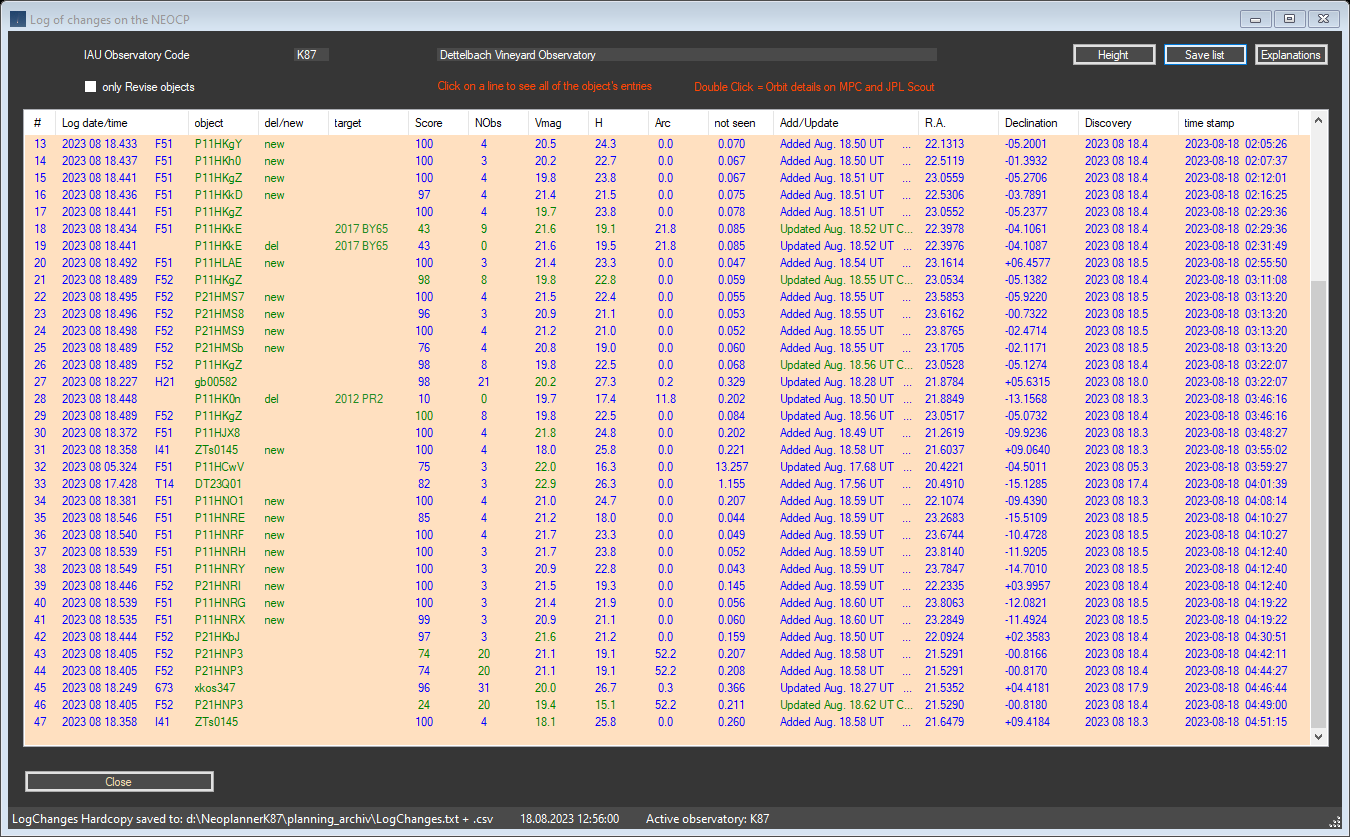
All changes to the NEOCP that occur when NEOCP Check is called up individually
or as a result of the background check are logged.
The list can also be reduced to the current NEOCP objects in the Revise Window.
The log shows all changes in chronological order. By pressing the Save list button you can load the content as a .txt file into the archive folder.
Automatically output a Logchanges.txt and .csv file to the archive folder every time the NEOCP is changed when Background Check is run.
Copyright: The data comes from official access to web services from MPC, whose origins are the tireless measurements of dozens of professional and amateur observatories around the world